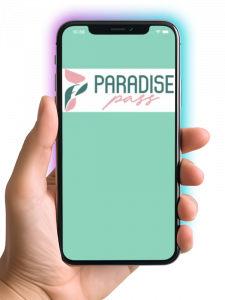
Step 1: Download the Paradise Pass App to Your Smartphone
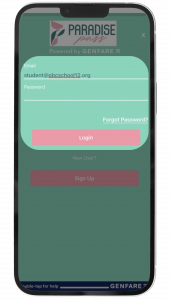
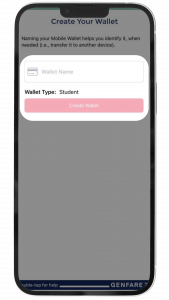
Step 2: Login to Your Account, and Setup Your Wallet.
IMPORTANT: Do NOT Create a new account! Use the email address you used to sign up. If you haven't yet received a reset password email from no-reply@gfcp.io after 3 business days, please check your spam folder or call customer service at 561-841-4287.
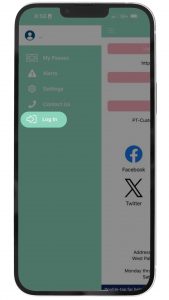
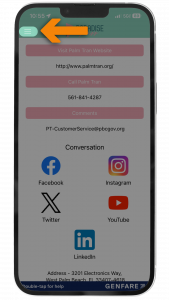
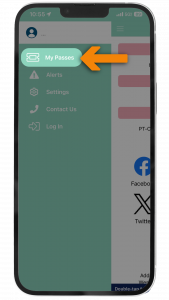
Tap on the menu bar in the upper left and then tap Log In.
Use the same email address you used to register, enter your password, then tap the Log In button.
Give your wallet a name then click Create Wallet.
Step 2: Purchase Your Summer Youth Pass in the App
Click on the menu button in the upper left
Click on My Passes
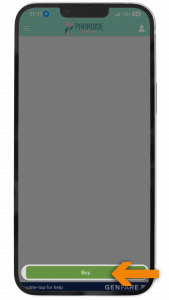
Click the Buy button at the bottom.
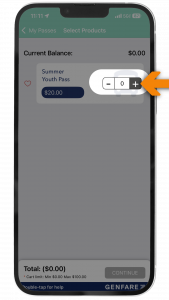
Enter the number of Passes that you want to purchase. (Up to 3 in total can be purchased) .
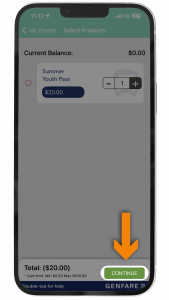
Click continue.
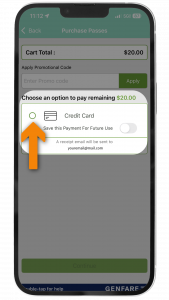
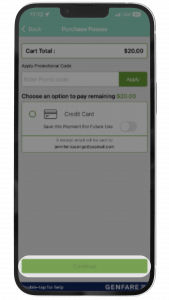
Enter your credit card information.
Click continue
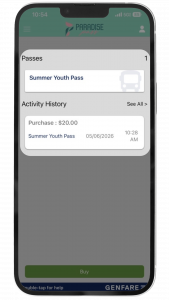
Your Summer Youth Pass is now in your Paradise Pass Wallet!
Step 4: Activate Your Pass.
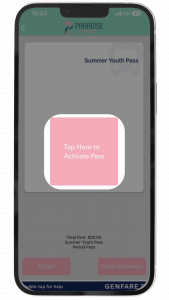
When you see the bus approaching your stop, activate your Summer Youth Pass in the Paradise Pass App when you’re ready for your first ride. The pass is good for 31 days.
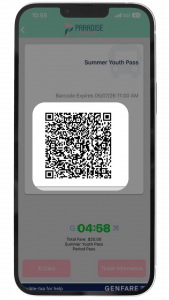
Note: Each time a pass is activated, it must be used within 8 minutes.
All passes, regardless of when it’s purchased must be activated by August 1.
Step 5: Use Your Pass to Ride!
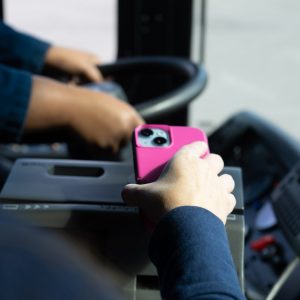
Use your pass to ride Palm Tran to your favorite destinations. Just open the app and scan your pass QR code on the bus and enjoy the ride!
Palm Tran’s Summer Youth Pass is for Palm Beach County Elementary, Middle, and High School students from 8-18 years of age. This promotion excludes college/university students.
Students must submit a copy of their student ID and will need a Paradise Pass App account.
Each pass is good for 31 days of unlimited rides. Passes purchased through the Paradise Pass App must be purchased and activated in the Paradise Pass App from June 1- August 1, 2026. Any pass not activated by August 1 will become null and void.